Search and filter
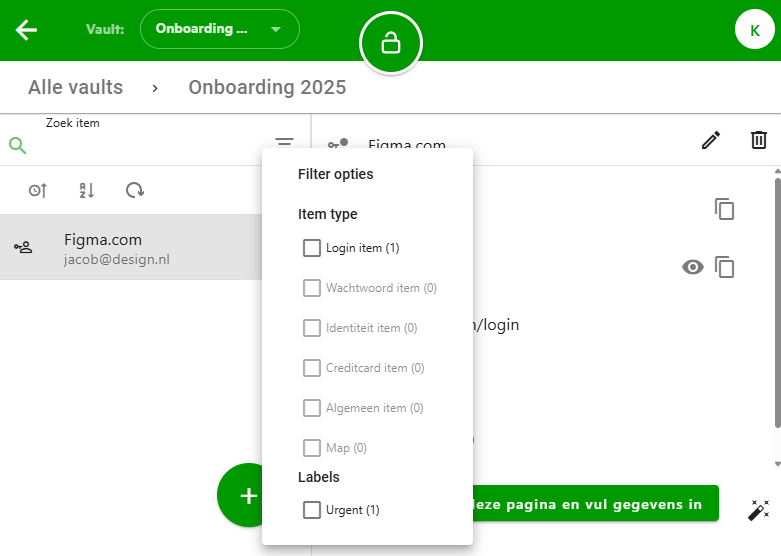
At the top of the list of items and folders, you will find various search and filter options. By typing in the search bar, you can search the list by username or by the title of an item or folder.
On the right side of the search bar, there is a filter button. This button allows you to filter by item type (Login, Password, Identity, Credit Card, and General) and by tags you’ve added to your items. The number of selected filters is indicated with a number on the filter button. Click on "Clear filters" to remove all filters.
The mobile apps only allow filtering by tags.