
Using folders
What are folders?
To add structure within a vault, you can use folders. Folders can be created, renamed, and deleted. It’s also possible to create subfolders (folders within folders). If you click once on a folder, a detail page will appear on the right side. To navigate into the folder, either double-click it or click the arrow once. Inside the folder, you can create new items or folders.
Creating a folder
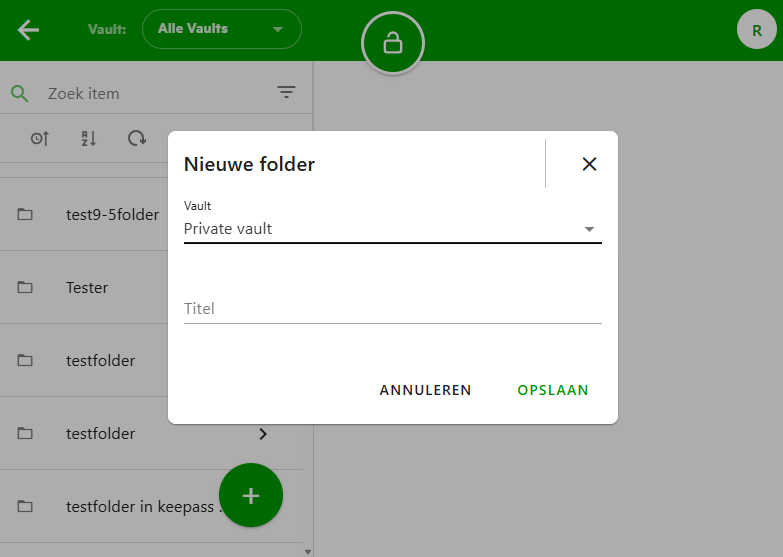
To create a folder, click the large plus button in the bottom-right corner. Two options will appear: one to create an item and one to create a folder. Click the second button and give your new folder a name.
If you're in All Items (in the web application), you’ll also need to select a specific vault where you want to place the folder.
Renaming a folder
To rename a folder, click once on the folder in the list to display its details on the right side. In the detail panel, click the edit icon in the top-right corner. You will then be able to edit the folder name.
Deleting a folder
To delete a folder, click once on the folder in the list to view its details on the right. Then click the trash icon at the top. A confirmation window will appear asking if you're sure. The folder, along with any items or subfolders it contains, will be deleted. Individual items from the folder can still be recovered from the Trash in the web application.